
How to Set Up Automated Order Processing for Your Online Store

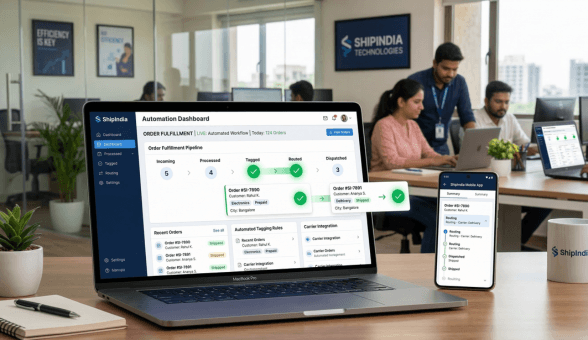
Every online seller knows the feeling. You wake up to 30 new orders, your inbox is flooded with shipping queries, your team is manually copying tracking numbers into spreadsheets, and somewhere in the middle of that chaos, a customer has already written a negative review because nobody updated them on their delayed package. Manual order management works perfectly fine when you are fulfilling 10 to 15 orders a week. The moment you cross 50 to 100 daily orders, the same manual process starts breaking down in ways that quietly damage your reputation and bottom line.
Automated order processing is not a luxury reserved for large e-commerce brands. For Indian SMBs growing on platforms like Boomimart, it is the operational backbone that separates stores that scale from stores that stagnate. This guide walks you through every component of an automated order workflow, the tools you need, the rules you should configure, and the mistakes you should skip.
What Automated Order Processing Actually Means
Most sellers assume automation means expensive software or technical complexity. In practice, order processing automation refers to a configured set of rules and triggers that move each order through its lifecycle without requiring a person to manually act on every step. The workflow typically covers five core stages.
| Stage | Manual Approach | Automated Approach |
| Order Capture | Staff manually enters order data | Auto-imported from store, app, WhatsApp |
| Verification | Team calls customer to confirm | System flags suspicious orders automatically |
| Picking & Packing | Paper picklist printed manually | Digital picklist pushed to warehouse app |
| Shipping Label | Created one-by-one on courier portal | Generated in bulk with one click |
| Status Notification | Team sends WhatsApp manually | Customer gets SMS/WhatsApp auto-update |
When all five stages run without manual intervention, your team shifts from being order operators to exception handlers. That is a fundamentally more scalable model.
Step 1: Centralize All Order Channels Into One System
The biggest friction in manual processing is working across multiple platforms simultaneously. A seller might receive orders from their website, a branded mobile app, WhatsApp commerce, and even phone calls. When these channels feed into separate dashboards, errors multiply and fulfilment slows down.
The first step to automation is channel consolidation. Your order management system should aggregate every incoming order, regardless of source, into a single queue with uniform formatting. This is the foundation everything else builds on.
What to Look For in a Centralized System
- Single dashboard showing orders from web store, mobile app, and WhatsApp
- Automatic order numbering across all channels
- Unified customer profiles that link multiple orders from the same buyer
- Real-time sync so no order appears twice or gets missed
Boomimart’s Commerce Cloud platform connects your web store, admin mobile app, and WhatsApp integration into one operational layer. Sellers running high-volume stores consistently report that this single change reduces order-entry errors by more than 60 percent in the first month.
Step 2: Configure Order Verification Rules
Not every order needs human verification. But certain patterns should trigger automatic holds or alerts before fulfilment begins. Building these rules upfront prevents a class of problems that only get expensive once an order ships.
| Verification Trigger | What It Catches | Recommended Action |
| New address + high order value | Potential fraud or data entry error | Auto-hold for team review |
| COD order above Rs. 3,000 | High RTO risk | Send OTP confirmation to customer |
| Duplicate order same customer within 10 min | Accidental double order | Flag for customer confirmation |
| PO Box or incomplete address | Undeliverable shipment | Auto-request address correction |
| Out-of-stock item ordered | Inventory mismatch | Auto-notify customer with ETA |
Struggling With High RTOs or Order Errors?
Step 3: Automate Inventory Deduction and Stock Alerts
Every confirmed order should immediately reduce available inventory. This sounds basic, but many stores running on separate tools, where the online store does not talk to the inventory system, end up overselling. A customer places an order, pays for it, and receives a cancellation three days later. That sequence destroys trust.
Automated inventory deduction works at the point of order confirmation, not at the point of shipment. The inventory count drops the moment payment is received or the COD order is verified. This keeps your live product listings accurate in real time.
Stock Alert Rules Worth Configuring
- Set reorder alerts at a defined minimum stock threshold for each SKU
- Configure out-of-stock auto-removal from the product listing page
- Enable pre-order or ‘notify me’ capture when a product goes to zero
- Set separate stock views for different warehouses or storage locations
If you run a warehouse alongside home storage during peak seasons, multi-location inventory tracking becomes critical. Boomimart’s ERP layer supports multi-location stock management, ensuring that your total available quantity is always the sum of all physical locations, not just one shelf.
Step 4: Set Up Automatic Shipping Label Generation
Printing shipping labels is one of the most repetitive tasks in an e-commerce operation. Done manually, a team member opens the courier portal, enters the destination, weight, and dimensions, downloads the label, and prints it. Multiply that by 80 orders a day and you have consumed three hours of productive time on a single low-value task.
Automated label generation works by passing order data directly to your integrated courier partner. The system creates a waybill number, assigns the courier based on your preference rules, and generates a print-ready label without human data entry.
| Configuration | Description |
| Courier preference rules | Assign specific couriers by zone, weight, or order value |
| Bulk label print | Generate labels for all new orders in one click |
| Auto-weight mapping | Pull product weight from catalog to pre-fill label data |
| Serviceability check | Auto-flag pincodes not serviceable by selected courier |
| Label format | Set label size and layout once, apply to all print runs |
Most courier integrations in India, including those with Delhivery, Shiprocket, and Ecom Express, support webhook-based label generation. The moment your order moves to ‘confirmed’ status, the courier API can auto-create the waybill. This shaves significant time off your daily packing station workflow.
Step 5: Automate Customer Notifications at Every Stage
Customer anxiety peaks between the moment they place an order and the moment they receive a delivery confirmation. Stores that communicate proactively at each stage generate higher trust scores and significantly fewer inbound support queries.
The notification sequence that works consistently for Indian e-commerce customers covers four touchpoints.
Notification Sequence to Automate
- Order Confirmation: Sent immediately after payment. Include order ID, summary, and expected delivery date.
- Dispatch Notification: Sent when label is generated and courier pickup is scheduled. Include tracking link.
- Out for Delivery: Sent on the morning of expected delivery day. Reduces failed delivery attempts.
- Delivery Confirmation: Sent once courier marks delivered. Triggers post-purchase review request or feedback prompt.
WhatsApp notifications consistently outperform email in India for transactional messages. Open rates for WhatsApp business messages in Indian e-commerce average above 85 percent, compared to 18 to 22 percent for email. If your platform supports WhatsApp integration, that channel should be your primary notification medium for order updates.
Step 6: Configure Invoice and GST Document Auto-Generation
Every B2C order in India requires a GST-compliant invoice. Every B2B order requires a proper tax invoice with GSTIN details. Generating these manually is not just slow, it is a compliance risk when you are processing hundreds of orders daily.
Automated invoice generation works by pulling order data, customer GST details (where applicable), product HSN codes, and tax rates to assemble a formatted invoice the moment an order is confirmed. The invoice is automatically emailed or WhatsApp-shared with the customer and archived in your records.
Key Invoice Automation Settings
- Map each product to the correct HSN code and GST rate in the product catalog
- Set auto-invoice trigger on order status change to ‘confirmed’
- Configure separate invoice templates for B2C and B2B orders
- Enable auto-archive of all invoices to a date-wise folder for quarterly GST filing
- Set credit note auto-generation when a return is approved
Getting your HSN code mapping right in the product catalog is the one step that requires some upfront effort. But once it is done, your invoice automation runs without further input. This also significantly simplifies your monthly GST reconciliation, since all tax documents are already structured in machine-readable format.
Step 7: Build Your Exception Management Workflow
Automation handles the predictable. Exceptions, meaning orders that fall outside normal parameters, need a defined escalation path so they do not get lost in the queue. An unmanaged exception is worse than no automation at all, because the seller assumes the system handled it when it did not.
| Exception Type | Trigger Condition | Resolution Path |
| Failed payment | Payment gateway returns error | Auto-retry once, then notify customer |
| Address undeliverable | Courier returns pincode error | Auto-request address update via WhatsApp |
| Stock exhausted post-order | Inventory hits zero after order placed | Auto-notify customer with restock ETA |
| Courier pickup failed | No pickup after 24 hours of dispatch | Escalate to operations team alert |
| Delivery failed 3 attempts | Courier marks undeliverable | Auto-initiate return flow, notify seller |
A good rule of thumb is to build your exception workflows before you go live with automation, not after the first crisis. The five exception types above cover the majority of non-standard situations in Indian e-commerce fulfilment.
Choosing the Right Tools for Order Automation
The effectiveness of your automation depends on the tools you build it on. A patchwork of disconnected apps introduces synchronization delays and failure points. An integrated platform is almost always the more reliable foundation.
What an Integrated Platform Gives You
- Order management and inventory run on the same database, so deductions are instant
- Courier integrations are pre-built and do not require separate API configuration
- Notification templates are part of the same system, not a third-party plugin
- Reporting consolidates all order data without needing data exports between apps
- Mobile admin app lets you manage exceptions on the go
Platforms like Boomimart combine the web store, mobile customer app, admin panel, order management, inventory, CRM, and ERP into a single environment. Sellers migrating from a combination of separate tools consistently report that the biggest productivity gain is not from any individual feature but from the elimination of data movement between systems.
For context on how Indian e-commerce operations are evolving toward integrated platforms, the Redseer E-commerce Report consistently highlights operational integration as the primary differentiator between high-growth and stagnating SMB sellers.
Common Mistakes to Avoid When Automating Order Processing
Automation is not fire-and-forget. Several implementation mistakes can create more operational chaos than the manual process they were meant to replace.
Mistake 1: Automating Before Standardizing Your Product Data
Automation pulls product names, SKUs, weights, and HSN codes from your catalog. If your catalog has inconsistent naming conventions or missing weight data, every automated label and invoice will have errors. Clean your product data before enabling automation.
Mistake 2: Setting Notifications Without Testing Message Content
Auto-generated WhatsApp messages that are grammatically broken or contain wrong order details erode trust faster than no notification at all. Test every notification template with a real test order before going live.
Mistake 3: Not Building an Exception Escalation Path
Sellers often configure automation rules and assume all scenarios are covered. When an exception hits, it sits unresolved because nobody receives an alert. Build explicit escalation rules for every exception type before launch.
Mistake 4: Using Different Systems for Different Channels
Running your website orders through one tool and WhatsApp orders through another creates the same fragmentation you were trying to eliminate. Channel unification is a prerequisite for automation to work reliably. See how Boomimart’s multi-channel ERP handles this differently from single-channel solutions.
Mistake 5: Ignoring the Return Automation Workflow
Return processing is as important as forward fulfilment. An automated forward flow with a manual return flow means your RTO resolution time stays high and your refund cycle stays slow. Build your return automation in parallel, not as an afterthought.
Measuring the Impact of Order Automation
Once your automation is running, you need benchmarks to know whether it is working. These are the metrics that matter for Indian SMB operations.
| Metric | Pre-Automation Benchmark | Target With Automation |
| Order processing time per order | 8 to 15 minutes | Under 2 minutes |
| Shipping label generation time | 3 to 5 minutes each | Under 30 seconds bulk |
| Customer notification delay | 1 to 4 hours | Under 5 minutes |
| RTO rate for COD orders | 18 to 25% | Under 12% |
| Daily order capacity per staff | 30 to 50 orders | 150 to 300 orders |
Track these numbers monthly in the first three months after automation goes live. If you are not hitting target ranges, identify which stage is causing the delay and tighten that specific rule or integration.
Scaling Beyond Automation: When to Build a Dedicated Operations Team
Automation handles volume. It does not handle strategy. As your order count grows past 500 to 1,000 orders daily, you will need a dedicated operations team working alongside your automated system, not instead of it. Their role shifts from executing order tasks to monitoring system health, handling exceptions, managing courier relationships, and optimizing fulfilment rules.
The benchmark many high-growth Indian D2C brands use is one operations staff member for every 300 to 400 automated orders per day. Below that ratio, automation alone handles it. Above that ratio, human judgment becomes a capacity constraint on exception resolution.
If you are currently at the stage of planning your scale from 100 to 10,000 orders per month, the scaling guide on Boomimart covers the broader operational and infrastructure decisions that go alongside order automation.
Frequently Asked Questions
How long does it take to set up automated order processing on Boomimart?
For a seller with a clean product catalog and at least one courier integration, basic automation covering inventory deduction, label generation, and customer notifications can be configured in one to two working days. Exception workflows and advanced verification rules typically take another day.
Can I automate COD order processing as well?
Yes. COD orders can follow the same automation flow with one additional step, the verification trigger. A COD order typically requires an OTP confirmation or a call confirmation before the system moves it to the picking stage. This step can be automated via WhatsApp OTP or IVR call.
What happens if the courier API goes down during label generation?
A well-built system queues the label request and retries automatically once the courier API is back online. Your order remains in a ‘label pending’ status during the downtime and the staff dashboard shows a notification so the team can take manual action if needed.
Do I need a developer to set up order automation?
On an integrated platform like Boomimart, most automation rules are configured through the admin panel without coding. Courier integrations, notification templates, and inventory rules all have guided setup workflows. You only need developer involvement if you are building custom integrations with ERP tools outside the platform.
How does automation handle partial shipments?
Partial shipments occur when an order contains multiple items but only some are in stock. A configured system splits the order, generates a label for the available items, and creates a backorder record for the remaining items. The customer receives a notification explaining the split delivery.
Is order automation relevant for small sellers doing fewer than 30 orders a day?
Even at 30 orders a day, automation delivers value in accuracy rather than speed. Automatic inventory deduction prevents overselling. Auto-notifications reduce customer support messages. Invoice auto-generation ensures GST compliance. The time savings become more pronounced as volume grows, but the accuracy benefits apply at any scale.